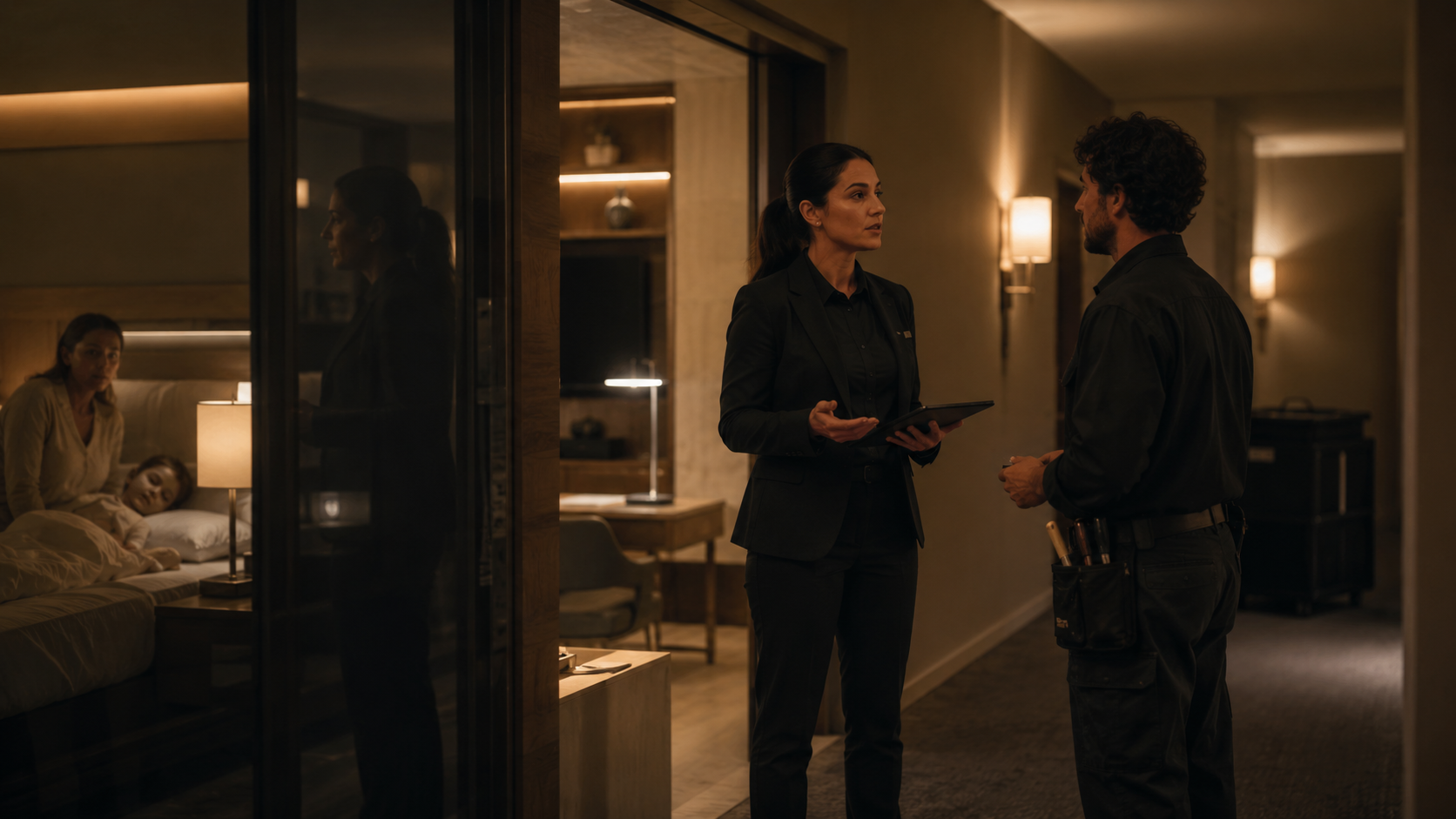

“Could someone bring two bath towels and check the air conditioner? We’ll be out until six. It rattled all night.”
The guest has sent one message, but the hotel has received at least two pieces of work. Housekeeping needs an item and quantity, while timing still needs confirmation. Maintenance needs an equipment symptom, explicit entry permission and a suitably qualified assignee. Both actions remain connected to the same stay and conversation.
A chat inbox cannot supply ownership. Read, forwarded, accepted, marked done and outcome verified are different events.
The missing layer translates conversation into work. ISO 22483 covers service, safety and security, maintenance, cleanliness, supplies and guest satisfaction [1]. Oracle OPERA likewise separates service requests, housekeeping schedules and room-maintenance requests [2–4]. Guest intent needs to become structured, owned and verifiable work.
One message is not necessarily one task
A better transformation has two parts:
Identify each intent. In the example, one intent is the towel delivery; another is an equipment issue.
Capture the operational entities. Two bath towels; the current room and stay; the guest expects to return around 18:00; entry permission is unknown; the air conditioner; the symptom “rattled all night.” The hotel still needs to agree the delivery time and ask whether staff may enter while the guest is out.
Each independent action needs its own linked task, not one vague “guest request.” Otherwise, one department can close the record while the remaining work disappears.
Automation can propose this structure but must expose uncertainty. “There’s water in the bathroom again” could mean cleaning, a leak or danger around electrical equipment. Low-confidence cases need one question or rapid human review—not an invented diagnosis. NIST treats testing, oversight and risk management as ongoing [11].
The minimum viable work item
An executable task needs concise fields, not unrestricted access to the entire conversation:
a unique task ID and a link to the source message;
work type: housekeeping, maintenance or another department;
a short, action-oriented summary;
property, building, room or public area;
the active reservation or stay, where relevant;
item, quantity, asset and observed symptom;
the guest’s requested time and an allowed access window;
entry permission and Do Not Disturb status;
safety-gate result, severity/impact, urgency, priority and target time;
owning team, assignee and acceptance state;
an activity trail covering updates, communications, evidence, verification and closure.
The guest may have moved rooms, be messaging outside the stay, or refer to “room 12” in one of several buildings. Reconcile identity, reservation, property and current room against the property-management system (PMS); hold ambiguous matches.
Cloudbeds’ integration guidance follows this principle: retrieve rooms and reservations from the PMS, assign work, update housekeeping status and return relevant notes [5]. The PMS remains the source of truth for the stay.
The end-to-end workflow
1. Capture the request without multiplying it
Store channel, received time, message ID and conversation relationship. Retries, forwards and integration timeouts must not create duplicate jobs. “It still isn’t working,” however, should update or reopen the existing issue.
2. Split intents and retain only useful context
Keep the source text for review, but give the assignee a clear instruction. If one operational detail is missing, ask one relevant question instead of presenting a form.
3. Bind the task to the stay and location
Identity resolution establishes the property, room, stay dates, access restrictions and reply channel. A room move in the PMS should update the open task or warn the dispatcher.
4. Apply the safety gate, then separate severity from urgency
Capital letters are not a severity model. A polite, understated message may describe a serious loss of service; an angry message may concern a low-impact preference.
First, compare the message with approved hazard triggers. A match leaves the ordinary task flow immediately and enters the property’s emergency procedure; it is not assigned a higher routine priority. For messages that remain in normal operations, assess two dimensions:
Severity/impact: the consequence and scope of the service failure—one amenity, a core room function, multiple rooms or accessibility.
Urgency: whether the guest is present, when they will return and whether the issue prevents sleep, water use, access or use of the room.
Priority is the resulting order and response target. Service systems commonly derive it from impact and urgency [7]. Each property must define levels and targets according to staffing, infrastructure, commitments and operating hours. A borrowed timing chart is not an industry benchmark.
5. Establish an owner, an assignee and time targets
The owner remains accountable across shifts and handoffs; the assignee performs the next action. Electrical, lock or gas-equipment work should go to suitable staff. OPERA supports assignment by skill or qualification [3].
Set separate targets for acknowledgement, acceptance, first action and verified resolution, with explicit start, pause and stop rules. Waiting for guest access may pause active work, but reports should retain total elapsed time. Jira Service Management illustrates these distinct SLA conditions [8].
6. Acknowledge a concrete next step
Confirm the separate requests, agreed delivery window, access arrangement and next update. Do not promise a time until an employee accepts it; if capacity is unknown, say the request is logged and an update will follow.
7. Move the work through explicit states
An internal workflow might be: new → assigned → accepted → in progress → waiting for guest / information / part → resolved, pending verification → closed.
The guest needs a smaller, truthful set: received, scheduled, in progress, information needed, completed. “Assigned” is not “accepted,” and “marked done” is not automatically “outcome verified.”
8. Verify the outcome
Define completion before the work starts. For the towels, completion means the right quantity reached the agreed location. For the air conditioner, “technician visited” is not sufficient. The record needs the inspection outcome, action taken and either evidence that service was restored or a clear next plan.
Verification might be a functional check, supervisor inspection, equipment reading or guest confirmation. Photos inside occupied rooms risk capturing personal belongings; evidence must be proportionate.
9. Close, reopen or escalate
If the guest says the unit still rattles, reopen the same item with its history intact. Escalate when a target is missed, no one accepts the task, the issue repeats, a required part is unavailable or a room may need to be removed from inventory. New hazard language exits to the emergency path rather than becoming a routine escalation.
OPERA separates resolving a service request from later follow-up, completion and closure [2]. That distinction is valuable: “we performed an action” and “this contact can be closed” are not always the same event.
10. Preserve an auditable trail—within a retention policy
Record who created, prioritised, assigned, paused, verified, closed or reopened the task, and when. Oracle’s logs and reports include user activity, status, department, priority and completion/follow-up time [6]. History supports accountability, not indefinite retention.
Privacy: give the worker the task, not the guest’s life story
A guest message can contain a phone number, a child’s details, health information, travel plans or a photo of the room. None of that makes the entire thread necessary for every employee or contractor.
Use least-necessary access:
housekeeping sees room, item, quantity, timing and entry rules;
maintenance sees location, asset, symptom, access and only relevant images;
the front desk sees conversation context and the reply channel;
supervisors see escalations and appropriately aggregated performance data.
EDPB guidance says controllers should not collect, process or retain more personal data than necessary and should segregate access by role [9]. GDPR applies where relevant; other properties must map the workflow to local law. Audit trails do not justify indefinite storage.
Safety needs an emergency path, not a faster ticket
Reports of smoke, flame, a gas smell, sparking, exposed wiring, water around electrical equipment, a blocked emergency exit or an unresponsive person must not sit in the ordinary housekeeping or maintenance queue.
Each property needs pre-approved triggers, responsible roles, alarm and evacuation procedures and local emergency contacts. AI can flag explicit language and alert the on-duty human immediately. It should not determine the cause, reassure the guest that the situation is safe, or replace the property’s emergency plan and competent responders. Official HSE gas guidance, for example, calls for immediate emergency action and a competent person rather than treating a suspected leak as a routine repair [13]. Emergency numbers and legal duties vary by jurisdiction.
After people are safe and competent responders are involved, a linked item can document follow-up. The ticket records the response; it is not the response.
Greetio’s honest role: the conversation-to-work bridge
In this architecture, Greetio should not present itself as a replacement PMS or computerised maintenance management system (CMMS). Its credible role is the conversation-to-work bridge.
Greetio can:
capture a request and its context from connected guest channels;
separate multiple intents and propose structured tasks;
ask for a missing operational detail;
reconcile guest, stay and room through a PMS integration;
route work to housekeeping, maintenance or an Operations Hub;
send a truthful acknowledgement and relevant progress update;
keep execution, verification and reopening linked to the conversation.
The available scope depends on the channels, modules and hotel-system integrations actually enabled for the property.
Where a property uses a PMS, CMMS or staff operations platform, Greetio should exchange work and status with it. Where no task layer exists, Operations Hub can provide a lightweight shared workflow. It should not claim asset registers, preventive maintenance, parts inventory, competency records, statutory inspections or authoritative room status unless those capabilities are implemented.
Integrations need stable room and reservation IDs, duplicate-safe task creation, status mapping, a failure queue and an owner for synchronisation failures. Otherwise, a lost message becomes a lost API call.
Metrics that reveal whether the bridge works
Count reliability, not task volume:
capture rate for messages containing an actionable operational intent;
unbound rate: work that could not be matched confidently to a stay or location;
correction rate for category, room, severity, priority or assignee;
time to guest acknowledgement, staff acceptance and first action;
total elapsed and active time to verified resolution;
attainment of the property’s own time targets;
reopen rate and repeat contacts about the same issue;
age of open work and missed escalations;
separately, time to human escalation for potentially hazardous reports.
Use explicit denominators. Capture rate is tasks created divided by actionable intents found in an audited message sample. Reopen rate is reopened items divided by closed items. Target attainment is eligible items verified within the property’s target divided by all eligible items; document every exclusion and pause rule. Keep emergency escalation outside routine SLA totals.
Averages conceal long tails. Review the median and 90th percentile by category, shift, property and request type. Show pauses transparently. Faster handling alone does not prove greater satisfaction or revenue.
There is no universal “good” number. Establish the property’s baseline, set targets it can operationally support, then observe whether the process improves.
What automation will still get wrong
Guest language is messy. Voice notes, images, multilingual messages, room nicknames and phrases such as “the same thing again” may not contain enough context. Reservation data can be stale during a room move; a staff phone can be offline; a third-party system can accept a call without creating the work. Classification accuracy therefore needs ongoing sampling, including false routing, missed tasks and unnecessary safety escalations.
Even perfect routing cannot supply a missing part, create qualified staff capacity, override Do Not Disturb or grant permission to enter. The workflow should expose these blockers and assign the next decision to a person. It must not label them “automation success” simply because a task was created.
A practical way to start
Sample real, de-identified guest messages and build a simple intent taxonomy.
Approve emergency triggers and human procedures before automating normal tasks.
Define required fields, states, owners and verified-completion criteria.
Set role-based access, retention rules and activity logging.
Pilot one department or shift with human review.
Review misrouting, duplicates, overdue work and reopened cases every week.
Integrate current reservations and room assignments from the PMS before attempting deeper maintenance automation.
Automation cannot create staff, parts or entry permission. It prevents guest intent from dissolving between inbox, front desk and operating team, so the hotel can show who accepted the work, what happens next and how the outcome will be verified.
Frequently asked questions
1. Should every guest message become a task automatically?
No. A thank-you, a general question or ordinary conversation may require no operational action. Create work when there is a concrete action, check, commitment, problem or transfer of responsibility. If intent is unclear, ask a focused question or send the message for human review.
2. Can one message create several tasks?
Yes. Towels, an air-conditioner issue and a late-checkout request belong to different workflows. Split the actions, but keep them linked to the same stay and conversation so closing one does not hide the others.
3. How should a hotel prioritise a guest request?
Run the safety gate first. For normal work, assess severity/impact and urgency separately: what function is affected, how many rooms are involved, whether the problem prevents sleep, water use, access or use of the room, and when an outcome is needed. Possible danger enters the emergency procedure; it is not the highest priority in a normal queue.
4. When is a task ready to close?
When a defined completion criterion has been met and the required verification has occurred. “Employee visited” or “sent to maintenance” is not verified resolution. If the guest says the problem remains, reopen the same work item and preserve its history.
5. Does housekeeping need access to the complete guest conversation?
Usually not. The worker generally needs the room, action, quantity, timing and entry rules. Personal data and irrelevant context should be restricted by role and retained only as long as justified under applicable law.
6. Does Greetio replace a PMS or maintenance-management system?
No. Greetio can structure the request, associate it with a stay, route work and relay updates to the guest. Reservation and room truth should come from the PMS, while asset registers, parts, preventive maintenance and complex work orders remain in the appropriate operational or maintenance system where one is used.